

Container Image Info
Overview
Regardless of workspace type, Terraform and OpenTofu runs run in a Docker container (Linux amd64) on the Scalr infrastructure. The container is based on standard Debian Linux and has the tools below installed already. If you need to execute runs outside of the Scalr infrastructure, you can do this through Self-Hosted Agent Pools.
The following tools are already installed on the image:
| Name | Description |
|---|---|
| AWS CLI | Used to interact with AWS. |
| Azure CLI | Used to interact with Azure. See setup instructions below. |
| Google CLI | Used to interact with Google Cloud. See setup instructions below. |
| pip3 | Pip is the package installer for Python. |
| Python | Use to interact with python scripts. |
| kubectl | Kubectl can be used to manage Kubernetes in your Terraform code. |
| Scalr CLI | Used to interact with the Scalr API. |
Information regarding versions and further details of the Dockerfile to build the image can be found here: https://github.com/Scalr/runner
AWS CLI:
Nothing is needed as the AWS CLI can read the $AWS_ACCESS_KEY_ID and $AWS_SECRET_ACCESS_KEY shell variables that Scalr passes.
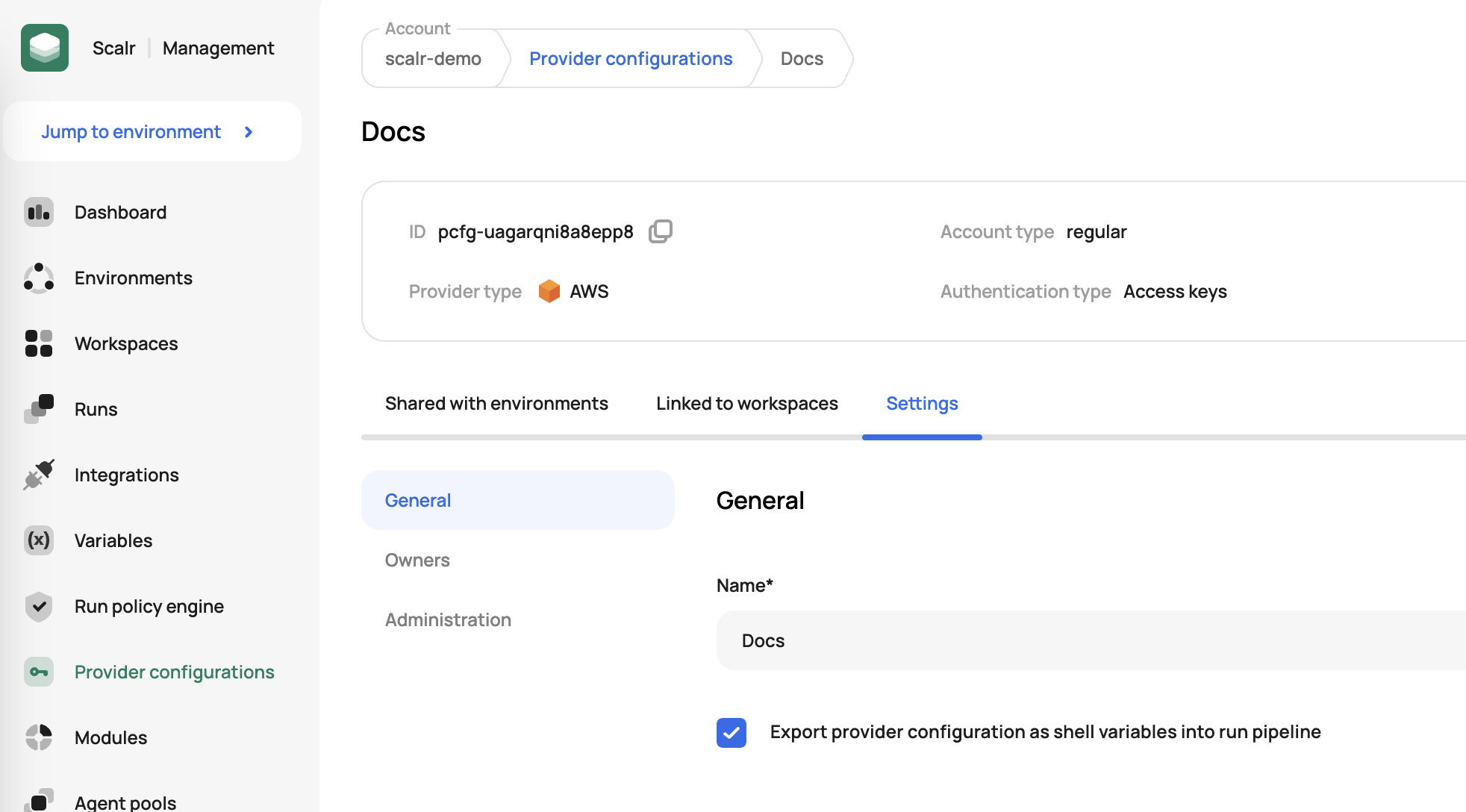
For the variables to be passed, ensure you check off the following setting in the provider configuration that is assigned to the workspace:
Azure CLI:
az login --service-principal -u $ARM_CLIENT_ID -p $ARM_CLIENT_SECRET --tenant $ARM_TENANT_ID
az account set --subscription=$ARM_SUBSCRIPTION_ID
Google CLI:
printenv GOOGLE_CREDENTIALS > key.json
gcloud auth activate-service-account --key-file=key.json --project=$GOOGLE_PROJECT
rm -f key.json
Selecting a Runner Image Version
By default, Scalr-managed runs use the platform's current runner image. You can pin a specific scalr/runner version per workspace. This is helpful to allow for testing when new versions of the runner image are released.
In Workspace Settings → Pipeline, select a runner image version from the dropdown. This option is only available for workspaces using Scalr-managed agent pools; workspaces on self-hosted agent pools will not see this setting.
Run Resource Limits
Runs on Scalr managed agent pools execute in a container with 4 CPU and 6 GB of memory. When a run exceeds the memory limit it is aborted with:
The run has reached the memory limit (6144 MiB) and this operation was aborted.
What consumes memory during a run
Memory use during a plan is driven mostly by how many times a provider is instantiated, not by the size of your configuration. Each provider block starts a separate provider process, including provider blocks inside submodules, so a module called many times with its own provider block multiplies memory use. The AWS and AzureRM providers are the heaviest.
Two other things commonly push a workspace over the limit:
- A provider version upgrade. A workspace that was already near the limit can start failing after a minor provider bump with no change to your code.
- Growth in state size over time, which makes failures intermittent before they become consistent.
Reading remote state from another workspace does not meaningfully affect run memory.
What to do when you hit the limit
- Count how many times each provider is instantiated, including inside modules. Reducing duplicate provider blocks is usually the fastest fix.
- Pin the provider to the last version that worked. If the failure started after an upgrade, this confirms the cause.
- Split the configuration into smaller workspaces. This is the recommended long-term approach for configurations that consistently need more than the
default. - Assign the workspace to a self hosted agent pool. You control CPU and memory on your own agents, so this removes the limit entirely.
Higher resource tiers on Scalr managed agent pools are available on the enterprise plan. Open a ticket at support.scalr.com with your workspace ID to discuss options.
Resource tier increases are applied per workspace. If you delete and recreate a workspace, the increase does not carry over to the new one.
Updated 27 days ago