

Tags
Overview
Tags are account-scoped labels you can attach to workspaces, environments, and provider configurations to help you organize and filter them. Use them to group resources by team, application, lifecycle stage, cost center, or any taxonomy that fits how you operate.
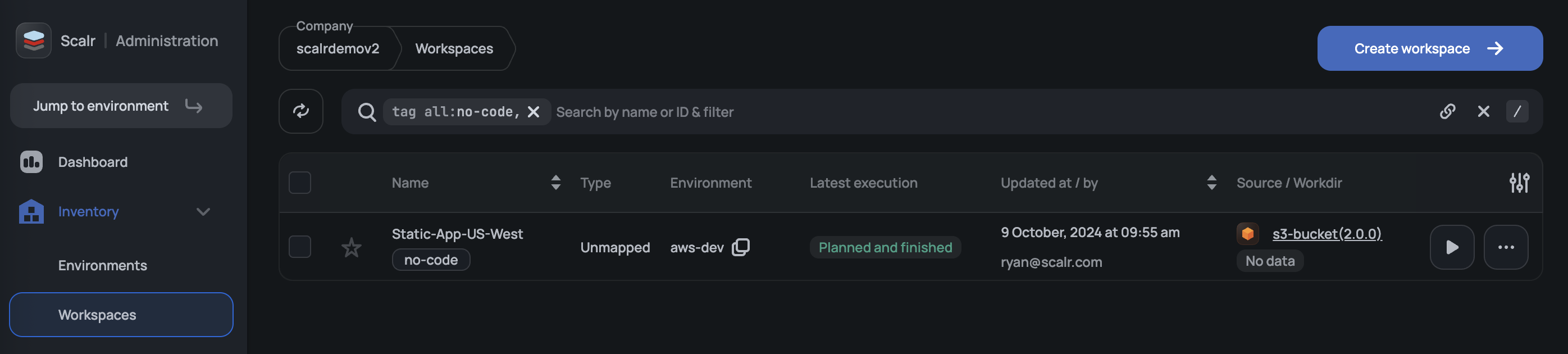
Tags can be filtered on in the UI, the API, and the Scalr Terraform provider.
Where Tags Can Be Applied
A tag is defined once at the account scope and can then be attached to one or more of the following resources:
- Workspaces — group workspaces by owning team, stack, or environment type.
- Environments — tag entire environments to reflect lifecycle stage, cost allocation, or data residency.
- Provider configurations — tag shared credentials so consumers can find the right one (for example, by cloud region or account owner).
The same tag can be attached to any combination of these resources, which makes it easy to correlate them — for example, listing every workspace, environment, and provider configuration tagged prod.
Creating and Managing Tag Definitions
Tag definitions live at the account scope. You can manage them through the Scalr UI, the API, or the Scalr Terraform provider.
In the UI
There are two places in the Scalr UI to create and manage tag definitions: from a resource's (workspace, environment, etc) settings, or from the central Tags inventory page.
From a workspace, open the workspace settings, go to the Tags section, type the tag into the field, and press Enter. If the tag does not yet exist on the account, Scalr creates it and attaches it to the workspace in a single step. If it already exists, it is attached without creating a duplicate.
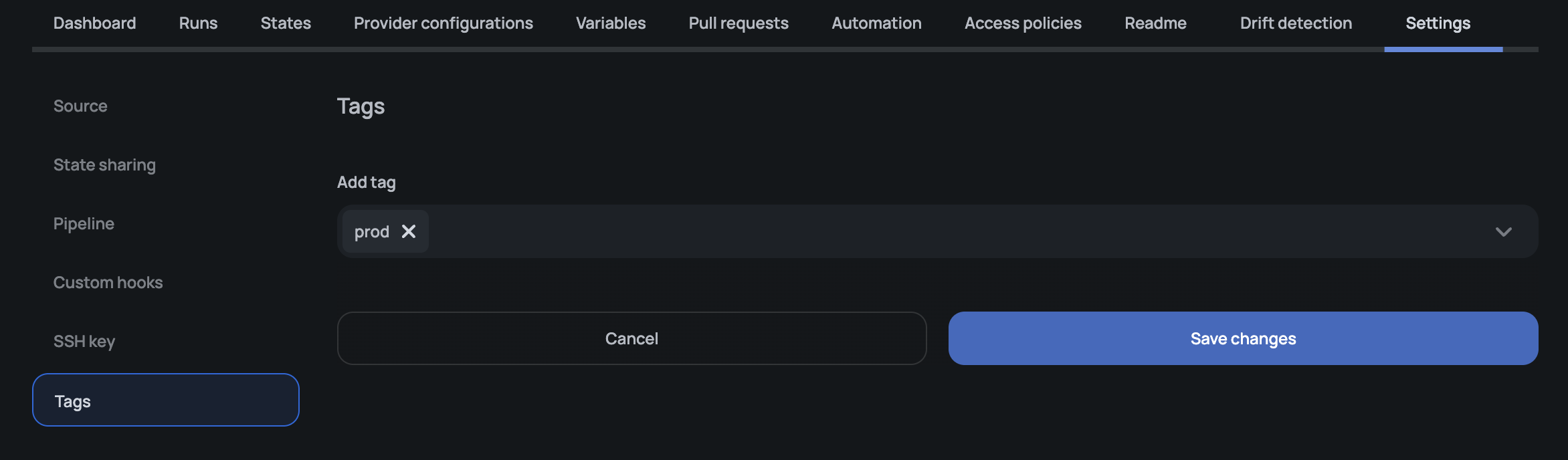
The same pattern applies to environments and provider configurations — open the resource, find the Tags section, and add the tag.
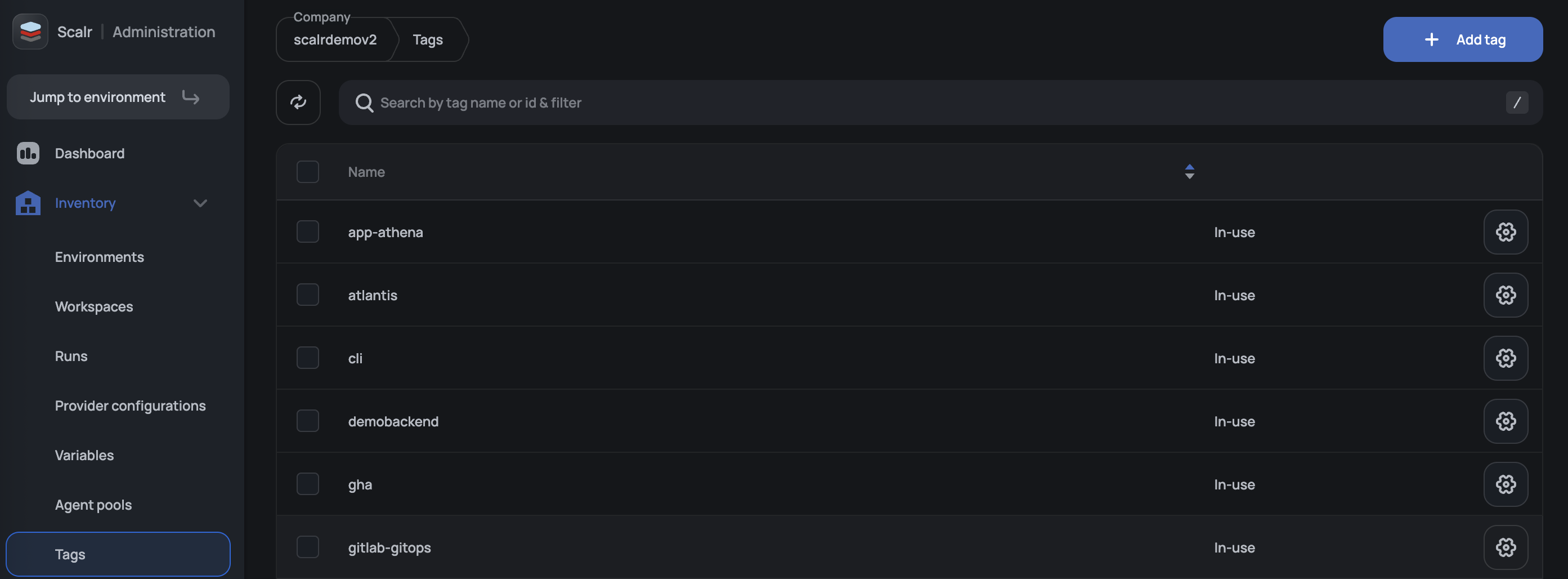
For account-wide management: creating, renaming, and deleting tags without opening every resource they're attached to, open Inventory → Tags at the account scope.
With the Scalr Terraform Provider
Use the scalr_tag resource to manage tags as code:
resource "scalr_tag" "prod" {
  name       = "prod"
  account_id = "acc-xxxxxxxxxx"
}
You can then reference the tag from any taggable resource. For example, a workspace:
resource "scalr_workspace" "app" {
  name           = "my-app"
  environment_id = scalr_environment.example.id
  tag_ids        = [scalr_tag.prod.id]
}
Managing tags in Terraform gives you the same auditable change history you use for the rest of your Scalr configuration and makes it easy to roll out a tagging taxonomy across many accounts or environments at once.
Filtering by Tags
Once tags are attached, you can filter the workspaces, environments, and provider configurations lists by tag in the UI. The same filters are available in the API and in Terraform data sources that look up resources by tag. This is the main day-to-day benefit of tagging: finding the subset of resources you care about without scrolling through an unfiltered list.
Permissions
Tag-related actions fall into two categories, and each category has its own permission rules.
Attaching and Detaching Tags on Resources
Attaching a tag to a workspace, environment, or provider configuration — or removing one — is treated as an update to the target resource. It uses the permissions on that resource, not on the tag itself:
| Action | Required permission |
|---|---|
| Add or remove tags on a workspace | workspaces:update on the workspace |
| Add or remove tags on an environment | environments:update on the environment |
| Add or remove tags on a provider configuration | Provider configuration update permission |
These operations do not require tags:update or tags:delete. They are unaffected by the tag management setting described below.
Managing Tag Definitions (Rename and Delete)
Renaming and deleting tag definitions at the account scope is controlled by a separate set of permissions:
| Permission | Allows |
|---|---|
tags:update | Rename an existing tag. |
tags:delete | Delete a tag. |
tags:* | Wildcard that grants both tags:update and tags:delete. |
Listing tags and creating new tags are not gated by these permissions. A user who can read the account (accounts:read) can continue to list and create tags, which matches the previous behavior.
tags:update and tags:delete are available to add to custom roles in the UI and via the API in the same way as any other permission. They are independent — a role can include one without the other. A custom role that grants tags:update but not tags:delete lets its members rename tags but not remove them, which is useful when a team owns tag naming consistency but should not be able to delete tags that may still be in use.
Permission Scope
Tag definitions are account-scoped. An access policy that grants tags:update or tags:delete at the environment scope does not satisfy the permission check when managing account-level tag definitions. To rename or delete an account tag, the permission must be granted on an access policy scoped to the account.
Creating Tags Through a Workspace
Because the workspace UI creates a tag on the fly when you type a new tag name into the Tags field, a user needs both of the following to perform that action end-to-end:
accounts:readto create the tag definition.workspaces:updateon the target workspace to attach the new tag to it.
The same applies to creating a tag while editing an environment or provider configuration — the corresponding resource update permission is required in addition to accounts:read.
Updated 5 months ago