

Renovate
Overview
This guide provides instructions on configuring Renovate to work with the Scalr private module registry. Renovate will automatically check for updates to Terraform modules stored in Scalr and create pull requests to update them.
GitHub
Step 0: Install Renovate
- Install from github.com/apps/renovate, choose repos.
- Check the repo's mode on developer.mend.io. If it says Silent, Renovate will only do lookups, no PRs, until you switch it to interactive mode in repo/org settings there.
- If interactive, merge the "Configure Renovate" onboarding PR when it appears.
Step 1: Scalr API token
In Scalr, create a service account token for Renovate to scan the Scalr module regsitry:
- Security > IAM > Roles → new role with
environments:readandmodules:read. - Security > IAM > Service Accounts → new service account, grant it that role.
- Generate the token on the service account.
Step 2: Store the token
Go to developer.mend.io → org or repo settings → Credentials / Add Host Rule:
- Click Credentials and add the Scalr service account token.
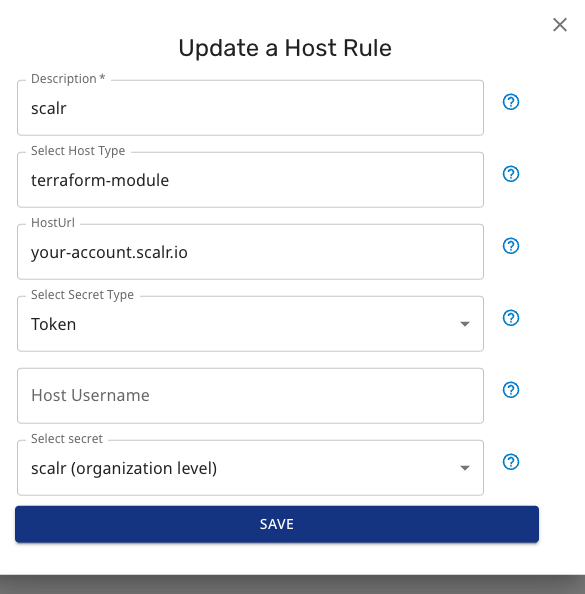
- Click Host Rules and add a rule (update HostURL and secret):
Step 3: Let Renovate onboard itself
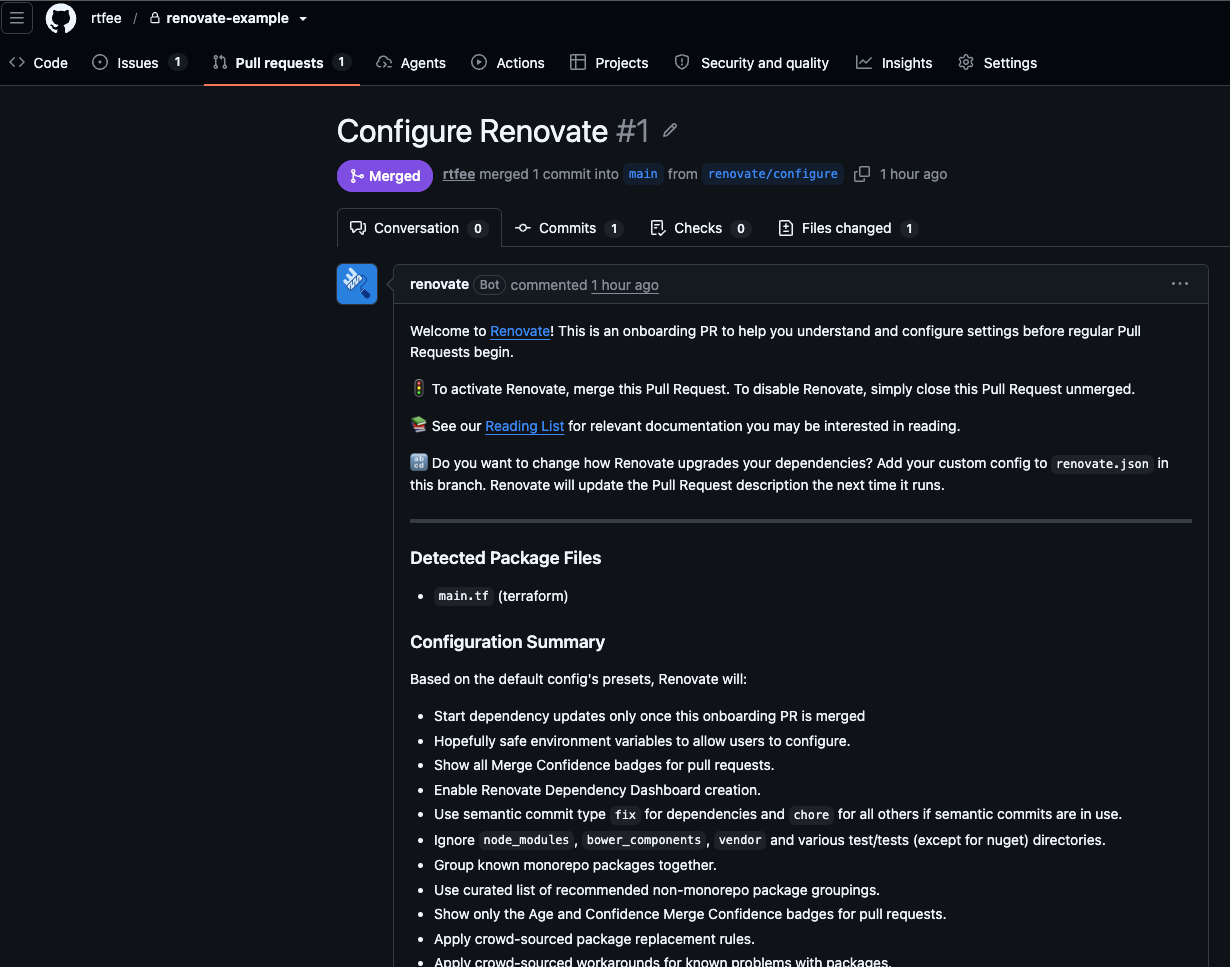
No need to create renovate.json by hand. Once the host rule from Step 2 is in place and the repo isn't stuck in Silent mode, Renovate scans the repo on its own and opens a "Configure Renovate" PR that adds a default renovate.json for you:
{
  "$schema": "https://docs.renovatebot.com/renovate-schema.json",
  "extends": ["config:recommended"]
}
Review and merge that PR. Then the next run opens the actual module-update PRs.
Step 4: Scanning the Module Registry
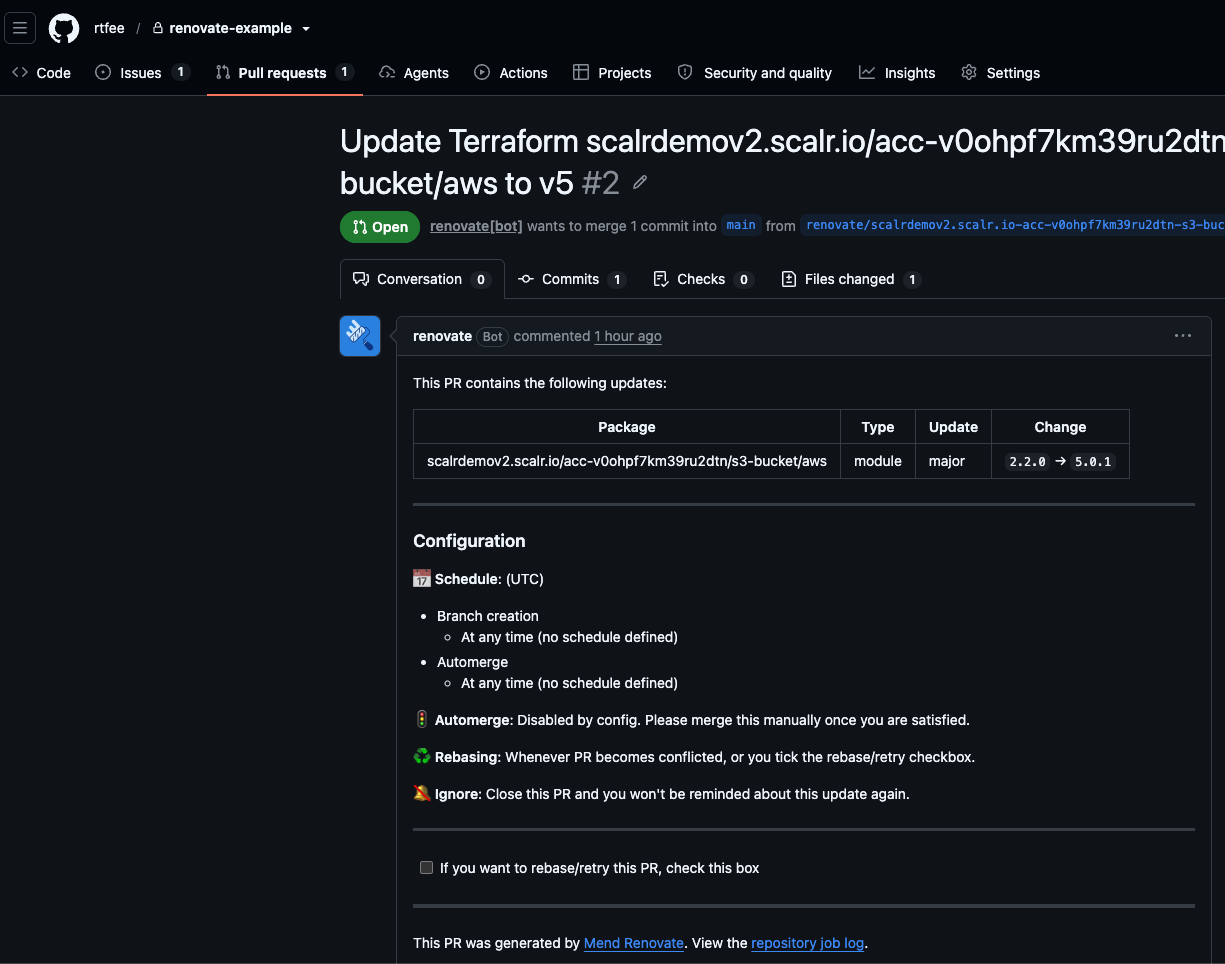
Now that Renovate has access to the Scalr module registry and has onboarded into the repos, Renovate will start scanning the module registry to identify modules in repos that are out of date. This will happen automatically, or a scan can be forced:
Troubleshooting
- No PRs at all: check for
mode=silentin the run log — auth/lookups can succeed while PRs stay suppressed. Switch out of Silent mode. - Auth failing: confirm the host rule's host matches the module
sourcehostname exactly. Success looks likehostRules: applying Bearer authentication for <host>in the log. - Major bump not opening a PR: check for
needs-approvalin the log — may be waiting on the Dependency Dashboard issue instead of opening directly.
Updated 2 months ago