

How to Purchase a Scalr Subscription
This page covers every way to buy Scalr, what you need before you buy, and how to activate your subscription. For details on how Scalr charges (runs, flex runs, plan tiers), see the Pricing FAQ.
Purchase Options at a Glance
| Option | Plans | Payment Method | How to Buy |
|---|---|---|---|
| Self-serve (Scalr UI) | Monthly, Annual | Credit card (monthly); credit card or ACH/Invoice (annual) | Scalr UI, account scope → Billing |
| AWS Marketplace | Annual commitment | Billed through AWS | AWS Marketplace listing |
| GCP Marketplace | Annual commitment, billed monthly | Billed through GCP | GCP Marketplace listing |
| Enterprise / Sales-assisted | Annual (custom) | Credit card or ACH/Invoice | Contact sales |
Before You Buy
Requirements
- A Scalr account, which you will consider the production account.
- Billing permissions. The user completing the purchase must have the
accounts:billingpermission. For marketplace purchases, the user also needsaccounts:readto link the offer to the Scalr account. - Same identity across systems (marketplace only). Be logged into the cloud marketplace and Scalr with the same user/email when activating.
Choosing a Plan
- Business vs. Enterprise. Both tiers use the same run-based pricing. Enterprise adds features such as Bring Your Own Storage, Bring Your Own Encryption Key, SCIM, Control Tower, Audit Logs, a TAM, Slack shared-channel support, contract redlines, and reseller purchasing. See Business vs. Enterprise.
- Monthly vs. Annual. Annual plans let you buy a bulk number of runs to use anytime within one year, with a larger volume discount than monthly plans. Runs do not roll over to the next subscription period.
- Sizing. Use the pricing calculator at scalr.com/pricing to estimate runs. Volume discounts are built into the price.
- Overages. You are never blocked from running. If you use all prepaid runs, flex runs apply, billed at the end of the subscription period (except for marketplace purchases where flex is billed monthly, regardless of the annual pre-paid purchase). You can upgrade or renew early at any time to avoid flex charges.
Self-Serve Purchase (Scalr UI)
Monthly plans can be purchased with a credit card. Annual plans can be purchased with a credit card or ACH.
- Log in to Scalr and switch to the account scope.
- Open the Billing page.
- If you are using a credit card, add it as a payment method.
- If you are using AC/invoicing, add a PO if required.
- Select a plan (monthly or annual) and number of runs, click upgrade.
- Select credit card or bank transfer (for ACH/invoice)
- Click upgrade. Runs are available immediately.
AWS Marketplace
Scalr can be purchased through the AWS Marketplace. Private offers are available upon request.
RequirementThe user who performs the click-through below must have at least the
accounts:readandaccounts:billingpermissions to link the offer to Scalr.
After making the purchase in AWS:
- Make sure you are logged into both AWS and Scalr using the same user/email.
- In AWS, find your agreement summary under Subscriptions.
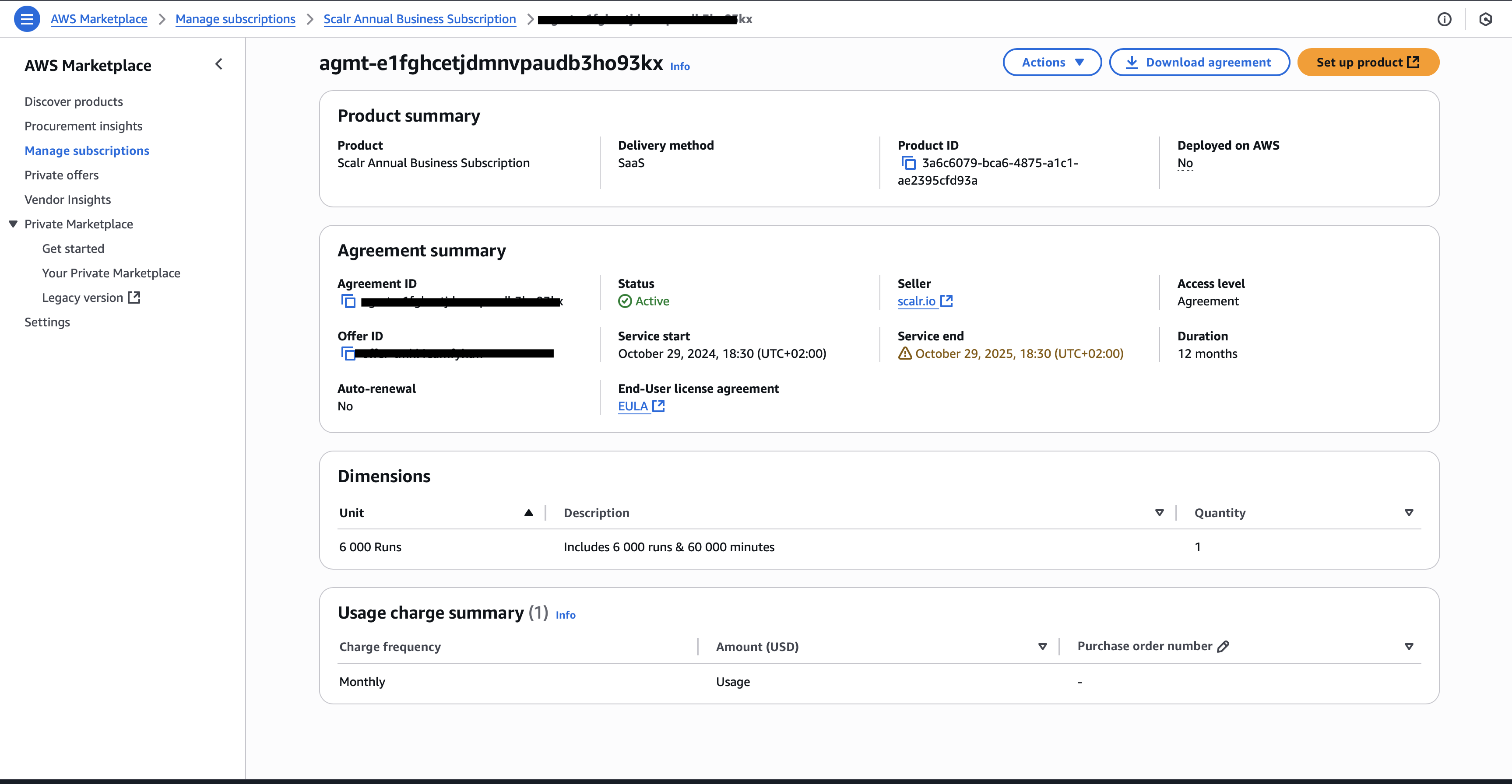
- Click Set up product in the top right.
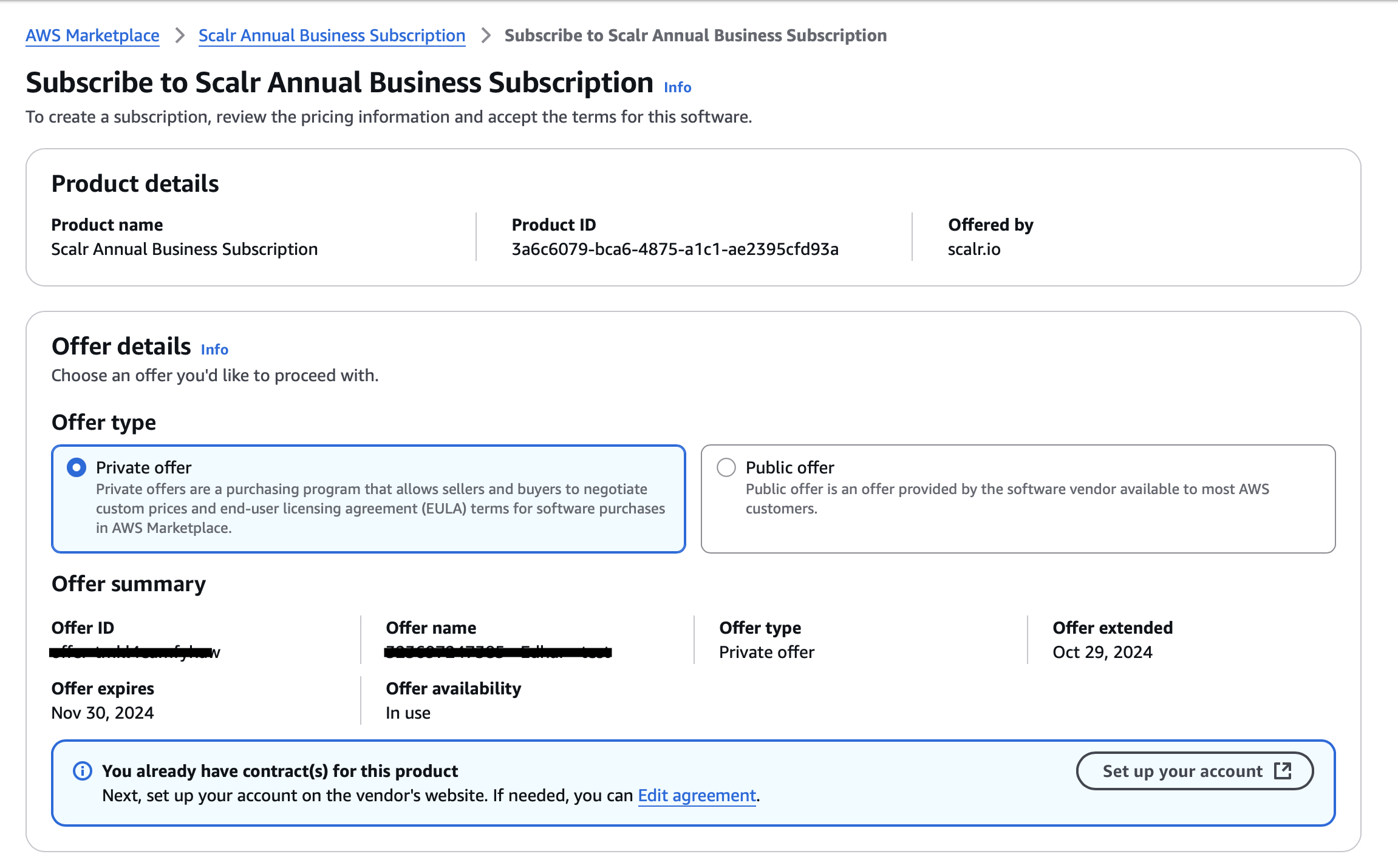
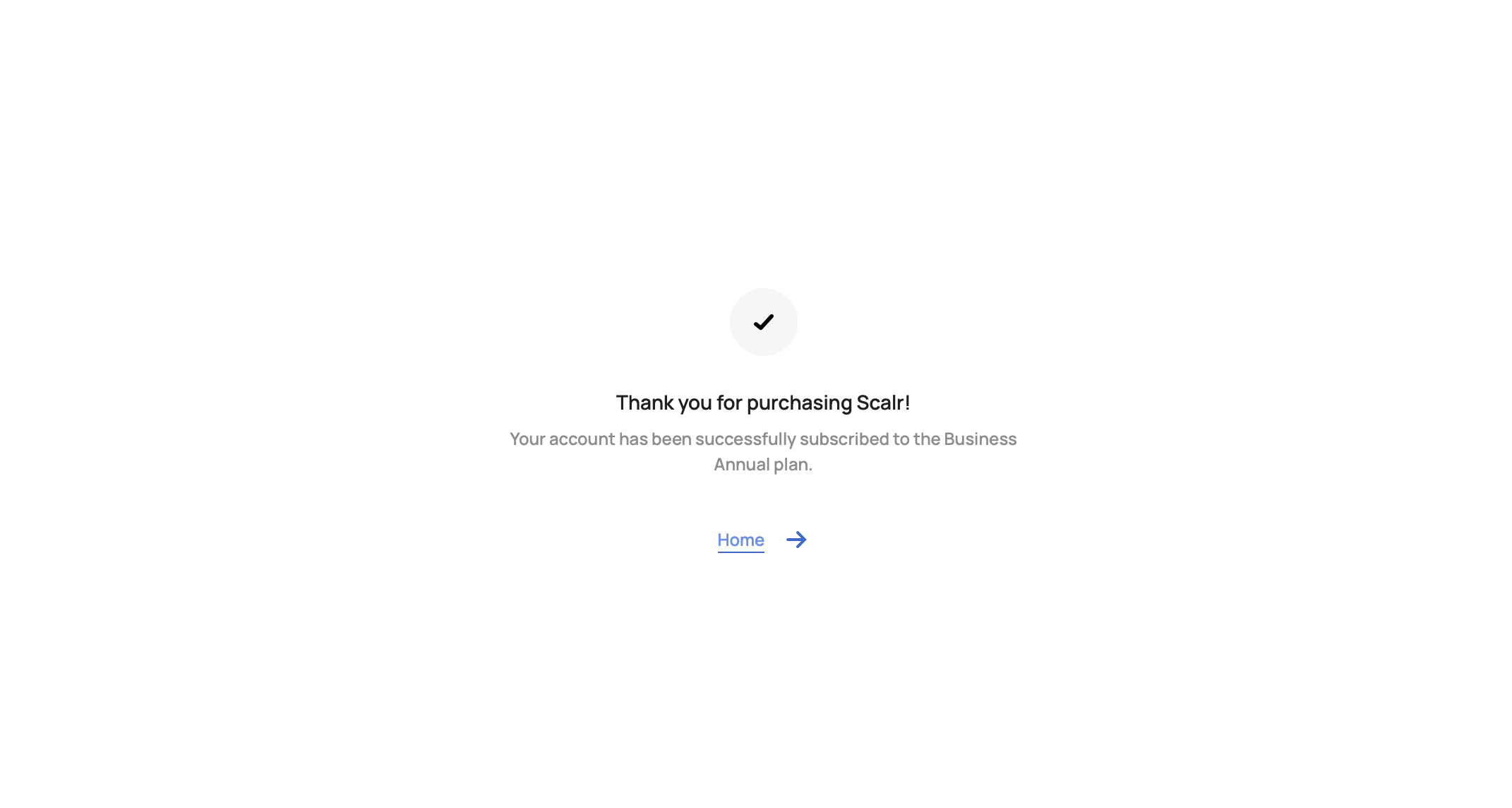
- Click Set up your account. You will be redirected to Scalr, where the subscription is finalized.
GCP Marketplace
Scalr can be purchased through the GCP Marketplace. A private offer must be made; contact us for an offer.
The standard purchase is an annual commitment of 6,000 runs for $5,940, billed monthly through GCP Marketplace (GCP requires monthly billing). All 6,000 runs are available to use anytime during the annual commitment. The monthly charge is how GCP processes payment, not a monthly run allotment.
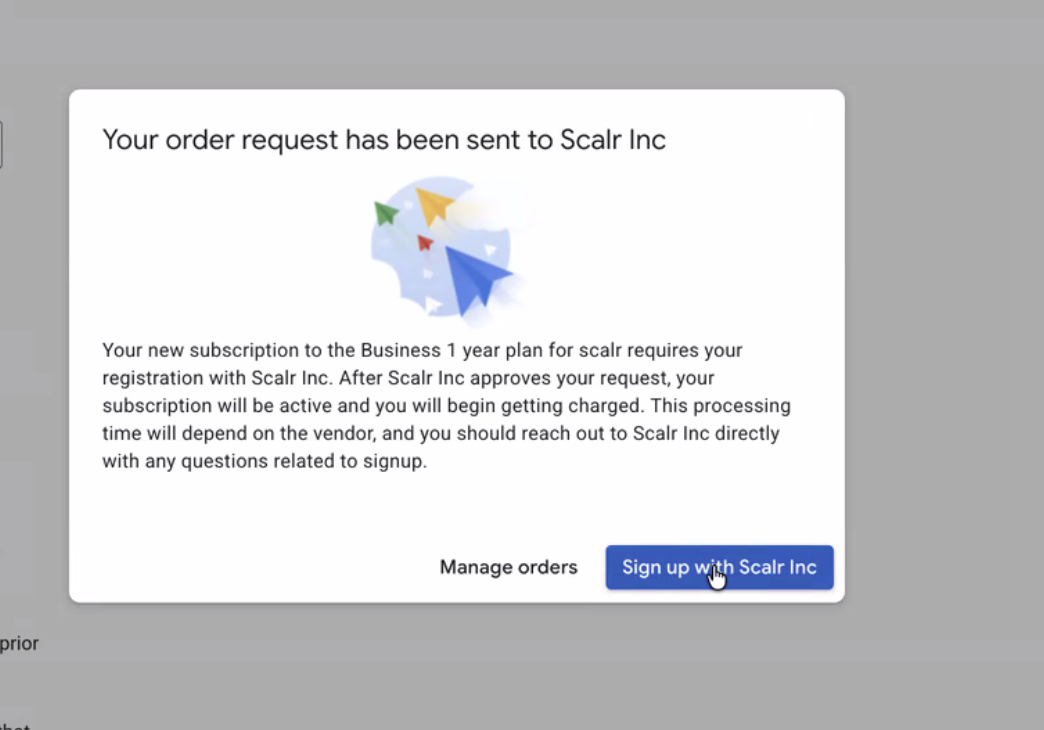
After making the purchase in GCP, click Sign up with Scalr and you will be redirected to your Scalr account.
Enterprise and Sales-Assisted Purchases
Enterprise plans are for organizations that need advanced security and compliance or custom agreements, including:
- Data residency requirements
- Audit log export to destinations such as cloud buckets
- AI audit logs
- Consolidated billing across accounts
- Technical account manager
- Custom MSA, contract addendums, and security addendums
To start, contact sales.
Procurement and Vendor Documentation
- Security and compliance: SOC 2 Type II and other security documentation are available at trust.scalr.io.
- Legal terms can be found here.
After You Purchase
Invoices
Invoices are available in the Scalr UI: go to the account scope, open the Billing page, then Invoices to view and download. The accounts:billing permission is required.
Invoices are emailed to the address in the billing details section, unless a support ticket was opened to provide a different email.
Renewing or Upgrading
You can renew or upgrade at any time on monthly or annual plans. Customers often renew early when they use up runs before the end of the subscription period.
Quotas and Concurrency
Paid plans have quotas to prevent abuse. Quotas can be increased free of charge by opening a support ticket. New accounts get five concurrent runs by default; each deployed agent adds five more. See How does concurrency work?
Questions
Contact support for billing questions on existing subscriptions, or sales for new purchases and enterprise plans.
Updated 20 days ago